Overview
Picking up food at Westfield Century City shouldn't feel like a scavenger hunt, but it does. With 57 food locations spread across 1.3 million square feet and only 3 designated pickup spots among 5,000 parking spaces, the experience is chaotic at best and deal-breaking at worst.
Working with a team of three other designers, I helped redesign the entire pickup journey from deciding what to order to finding the exact counter inside the mall. We created Mapply, a mobile app that uses AR navigation, smart parking coordination, and built-in rewards to turn a frustrating experience into something seamless.
Project Type
UX Design | AR Navigation
TIMELINE
4 weeks
My Role
UX Designer | Researcher
Key Stakeholder
Westfield Century City, Santa Monica College
TEAM
Esmé Ison, Emma Doyle, Xander Turnbough
Problem
Westfield Century City has a math problem. 31 restaurants offer takeout. 5,000 parking spaces exist. But only 3 spots are designated for curbside pickup.
This has been causing traffic jams at entrances, people circling for parking, frustrated drivers blocking lanes, and customers who just stop ordering because it's not worth the hassle. When 27.2% of your Yelp reviews are 1-2 stars and most mention parking, you have a real problem.
Design Challenge
How do we make food pickup actually work without Westfield having to rebuild their entire parking infrastructure?
✦ . ⁺ . ✦ . ⁺ . ✦
Research: Why People Avoid Pickup
What we learned
We talked to 10 people, including regular mall visitors and delivery drivers, to understand what makes the pickup experience so painful.

I'd rather drive further to a restaurant with clear pickup than deal with mall parking.
The parking situation alone discourages orders. People felt the restaurants were convenient in theory but avoided them because the parking experience wasn't worth it.

I never know where I'm supposed to go once I'm inside.
Even after parking, finding the actual pickup counter felt overwhelming. Too many people, too much signage, not enough clarity.

My order is ready but I'm still 10 minutes away.
There's no coordination between when you order and when you should actually leave. Food gets cold. Restaurants get backed up. Nobody's happy.

The app says 'restaurant' but I need to know if it's fast food or sit-down.
Information design issues made it hard to quickly scan options and make decisions.
Persona

Anika Frandsen - Software Engineer, 28
Hybrid worker living in Century City area
Tech savvy and progressive, likes to be quick and efficient
Goal: Efficient lunchtime pickups without parking hassles.
Pain Point: Navigating the confusing parking layout.
User Journey Map
We mapped the entire pickup journey, focusing specifically on the "Going to pick up" and "Parking" stages where most frustration occurs. This revealed critical opportunities:
Users need order status notifications while in transit
Parking inconvenience is the biggest deterrent to ordering
Clear entrance signage could prevent confusion before it starts
Matching food prep time with driving time would eliminate cold food and long waits
How might we use AR to guide customers through the mall?
How might we integrate food ordering with navigation?
How might we match food pickup estimates with driving time?
How might we create dedicated pickup spots without major construction?
Some of the interesting insights we got from user journey map (pink: goals & motivation, blue: opportunities)
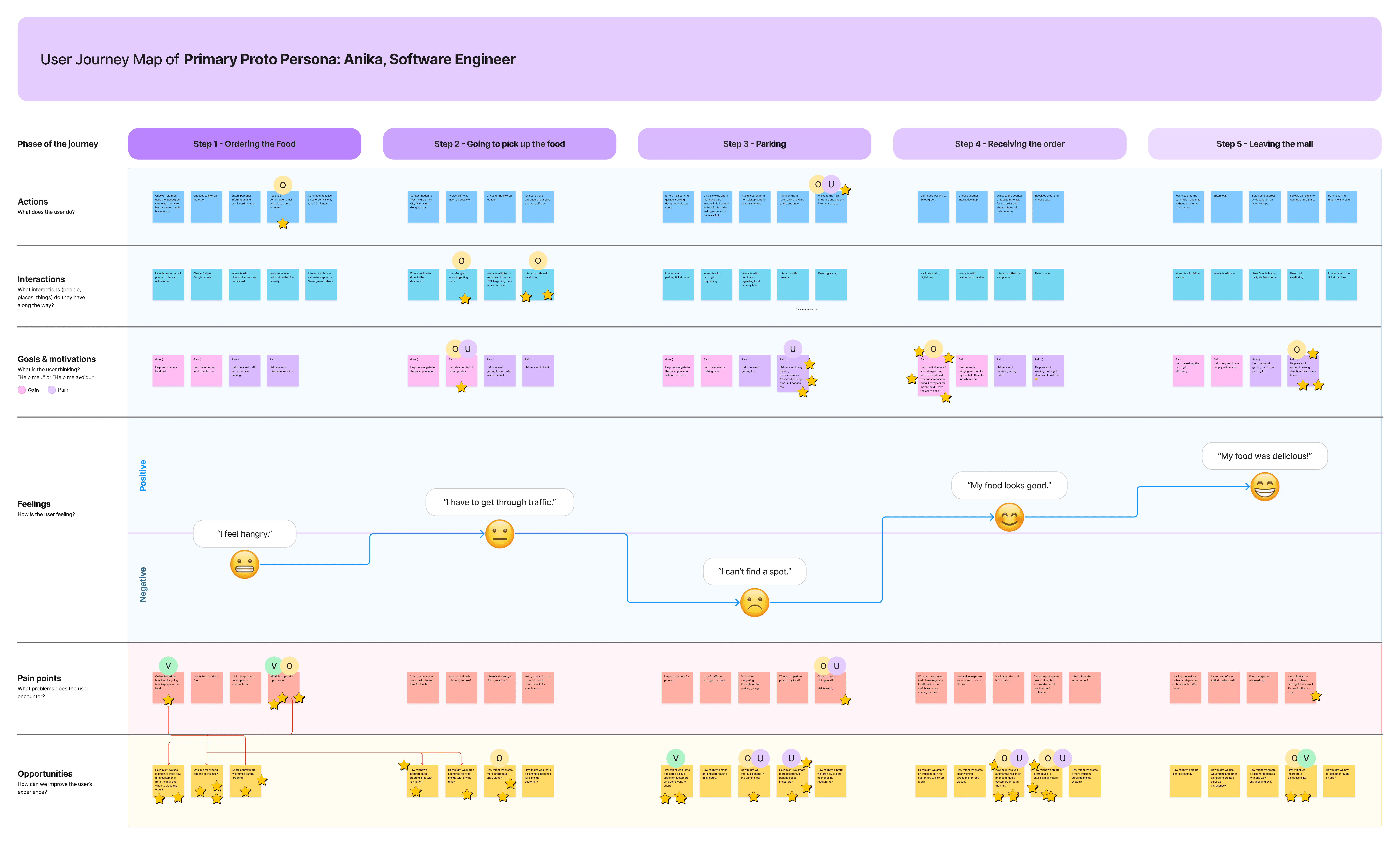
Overview of Mapply’s user journey map
Design Direction
These insights led us to a core principle: Don't just map the mall. Guide the entire pickup journey.
That meant rethinking everything from "when should I leave my house?" to "which entrance should I use?" to "how do I find the counter once I'm inside?"
✦ . ⁺ . ✦ . ⁺ . ✦
Early Exploration
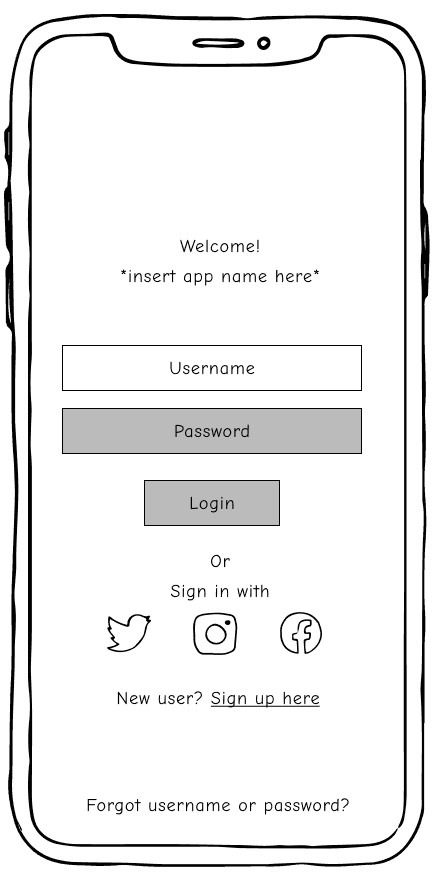
Paper Wireframe
We started with sketches and paper prototypes to test the basic flow:
Choose restaurant → See pickup time → Get driving directions → Park → Navigate inside → Pick up food
Paper prototyping let us quickly test interaction patterns and information hierarchy before investing time in high-fidelity designs. We could swap out screens, test different layouts, and see what made sense to users.
First paper prototype
Low-Fidelity Digital Wireframes
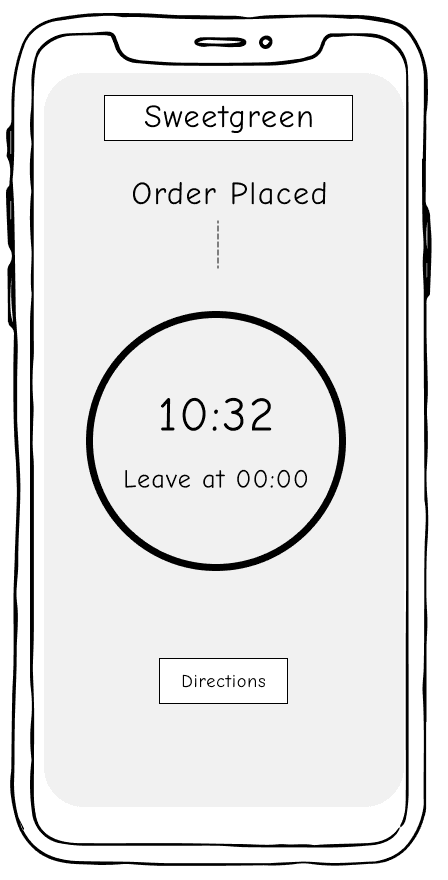
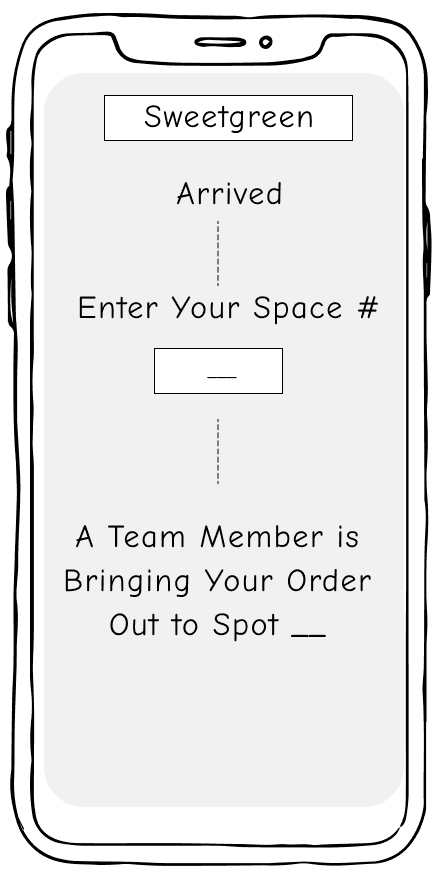
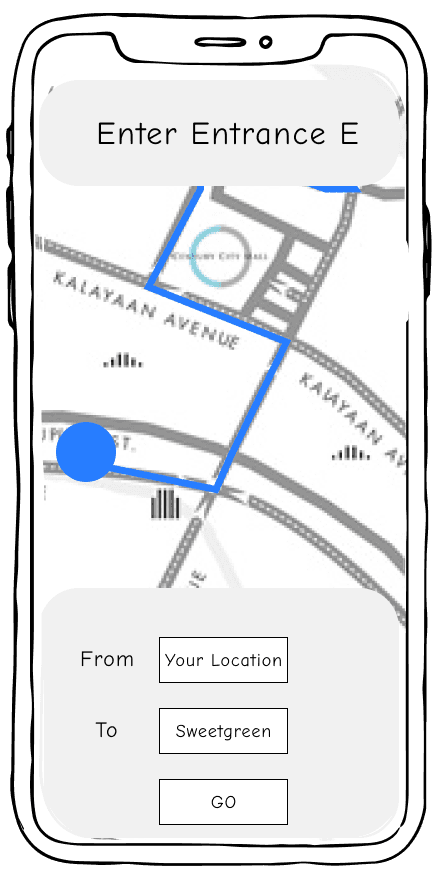
Early testing with low-fidelity wireframes revealed that people needed:
Visible countdown timers so they know when to leave
Clear pickup instructions (not buried in order details)
Critical actions above the fold
These became our design requirements going into high-fidelity prototyping in Figma.
✦ . ⁺ . ✦ . ⁺ . ✦
Usability Testing
We tested our prototype with 10 participants using realistic scenarios such as "Pick up your lunch at Sweetgreen at Westfield." Watching them struggle (and succeed) taught us everything.
Information Design
Problems to solve
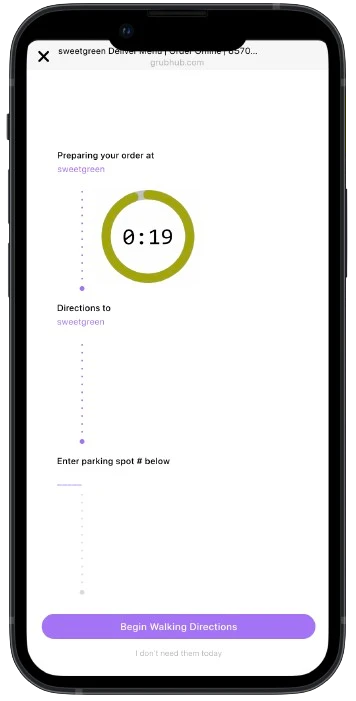
Information Overload
Users found the order summary page visually confusing. The timer was off-center, making it hard to understand what to do next.
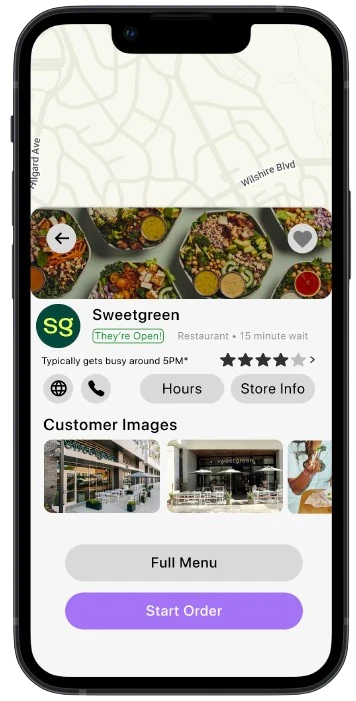
Unclear Labeling
The generic "restaurant" label frustrated users who wanted to know if they were looking at fast food, sit-down dining, or a bakery.
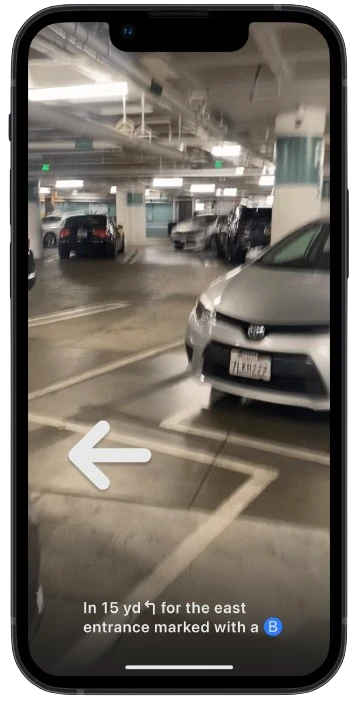
Readability
Text on menu pages and AR instructions was too small to read comfortably.
How we fixed it
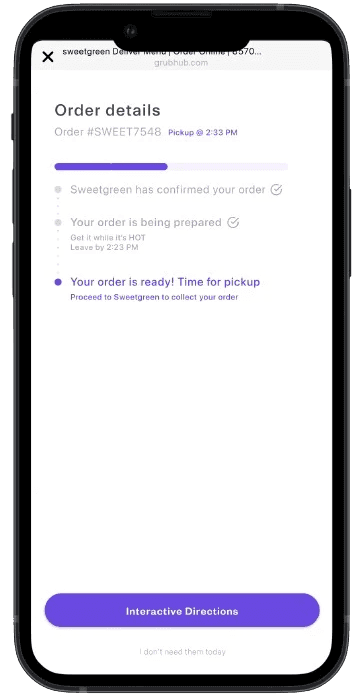
Reorganized the Summary Page
We moved the timer to a central, prominent position and simplified the visual hierarchy so users could immediately see their next action.
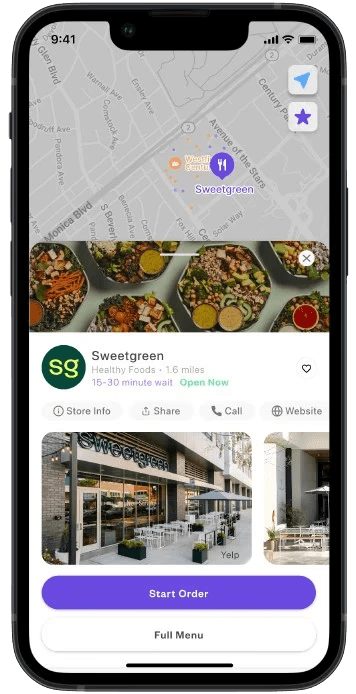
Revised Category Labels
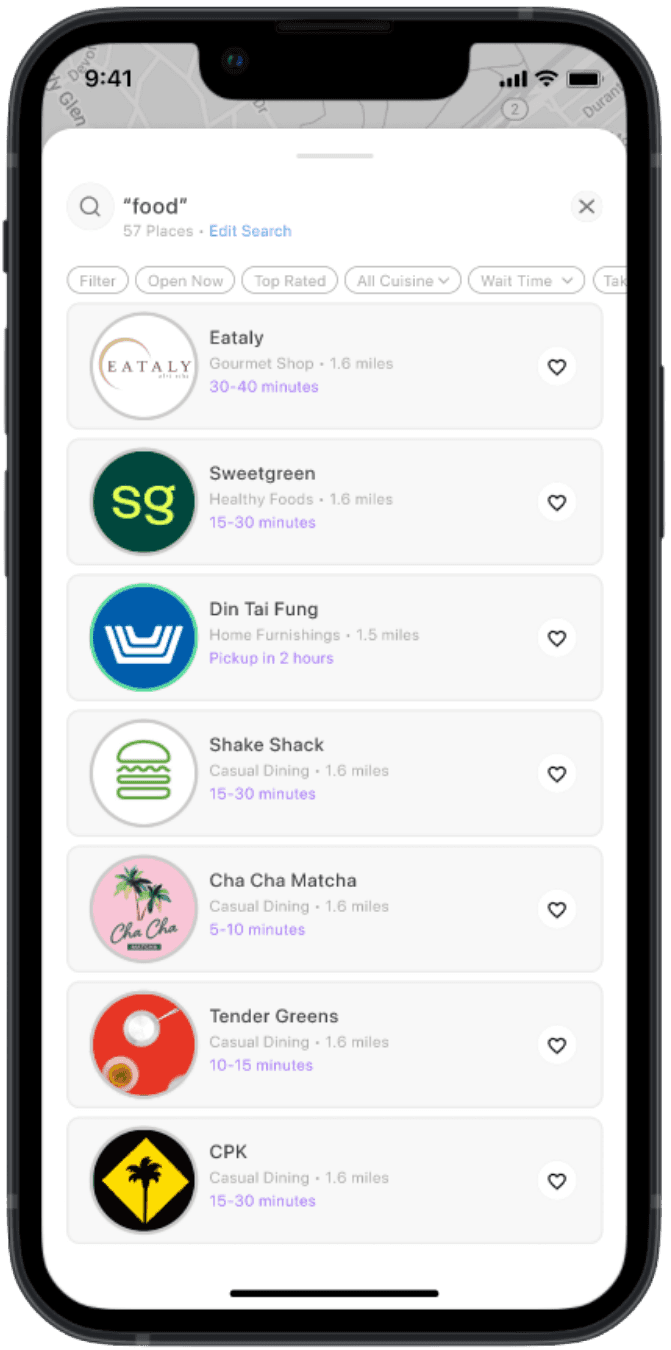
Changed from generic "restaurant" to specific categories: Quick Bites, Casual Dining, Coffee & Bakery, Dessert. This helped users scan and make faster decisions.
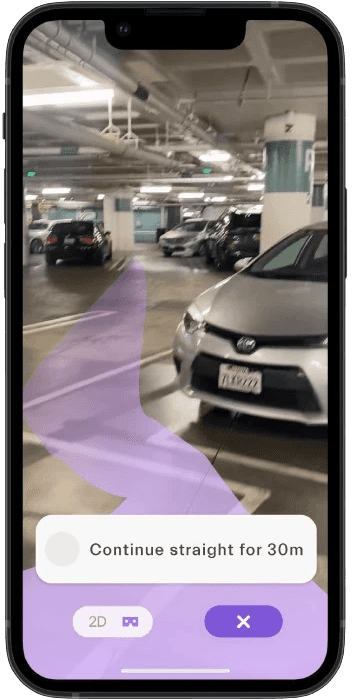
Improved Legibility
Increased font sizes across the board, improved color contrast, and added clearer explanations for potentially confusing terms.
Feature Functionality
Problems to solve
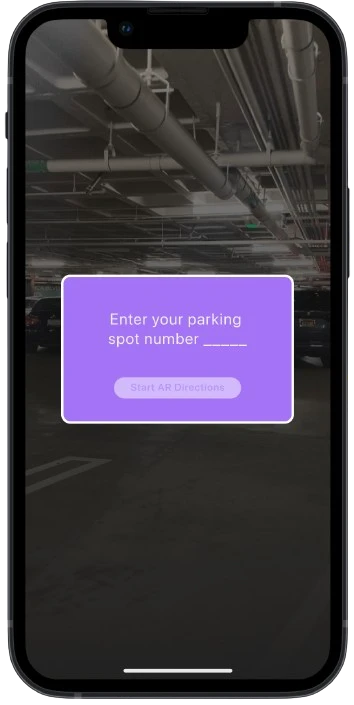
Missing Information
Users didn't understand why they were entering a parking number or what the coupon offers actually included.
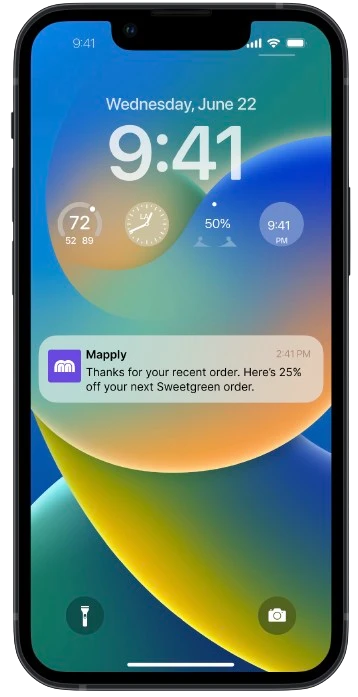
Limited Features
People wanted to save coupons within the app instead of screenshotting or remembering codes.
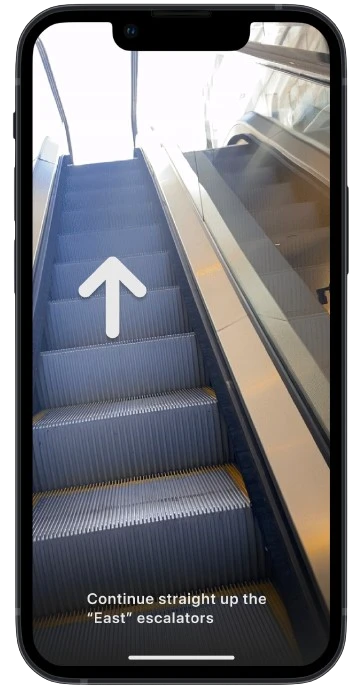
Limited AR Functionality
Users asked for alternatives to AR navigation and suggested seasonal or event-based customization.
How we fixed it
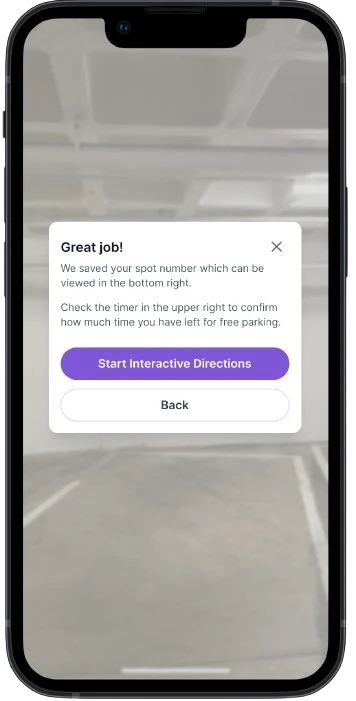
Provided Context and Explanation
We added messaging that entering your parking spot number ensures you get free or validated parking during pickup. Simple context eliminated confusion.
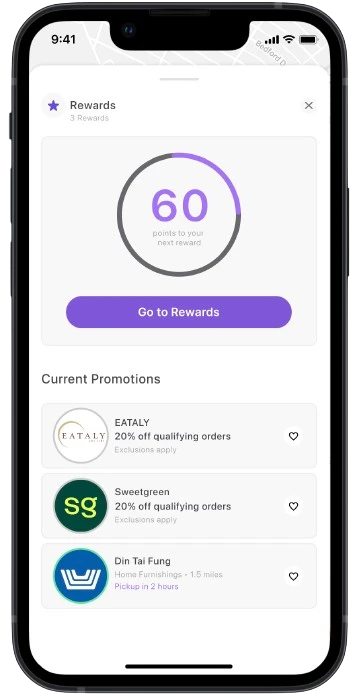
Developed a Coupon Storage System
Designed a dedicated section where users can save, manage, and redeem offers directly in Mapply.
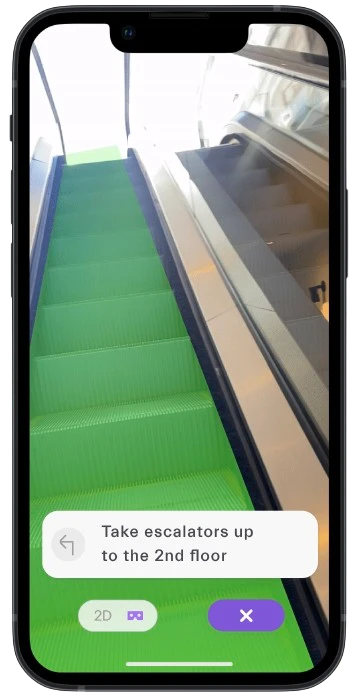
Expanded AR Features
We explored adding different paths for accessibility. We also considered seasonal color changes for the AR paths during holidays or special events.
Try Our Testing Prototype
✦ . ⁺ . ✦ . ⁺ . ✦
The Solution: Mapply
Core Experience
1. Plan & Order
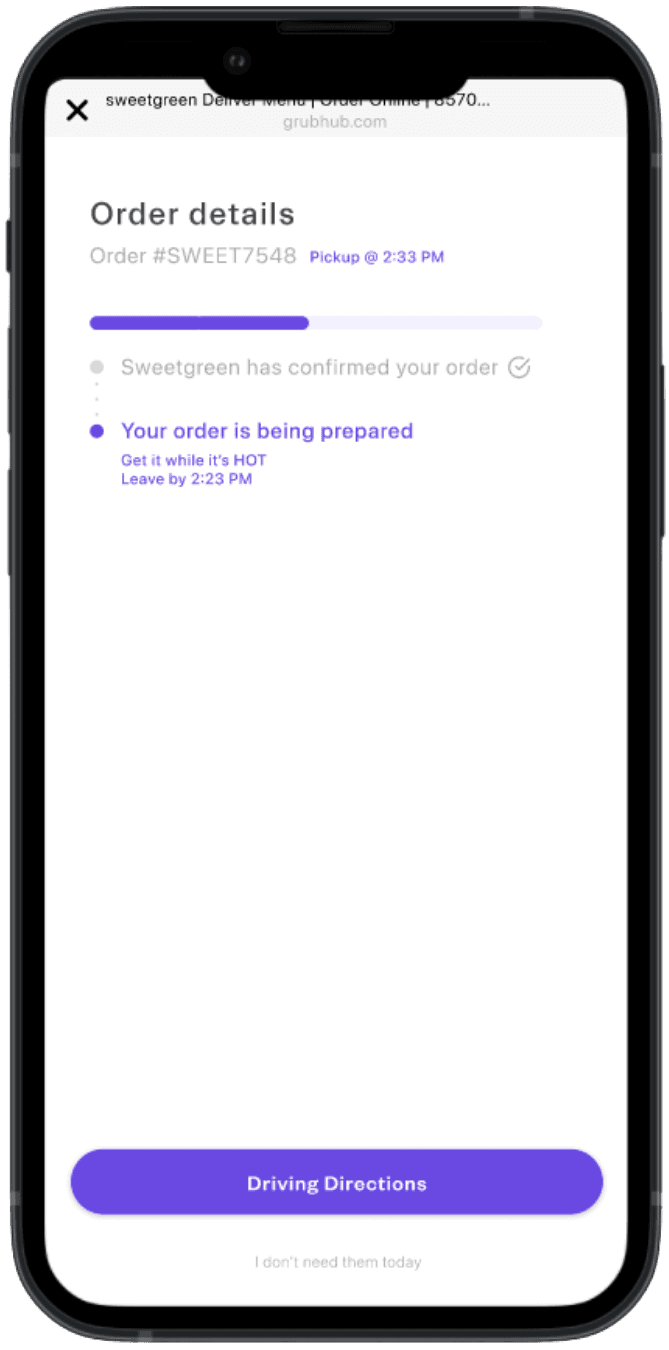
Browse restaurants by category, see estimated pickup times, and get a "leave by" notification based on real-time traffic and distance. The app calculates when you should actually head out so your food is ready when you arrive, not sitting cold at the counter.
2. Drive & Park
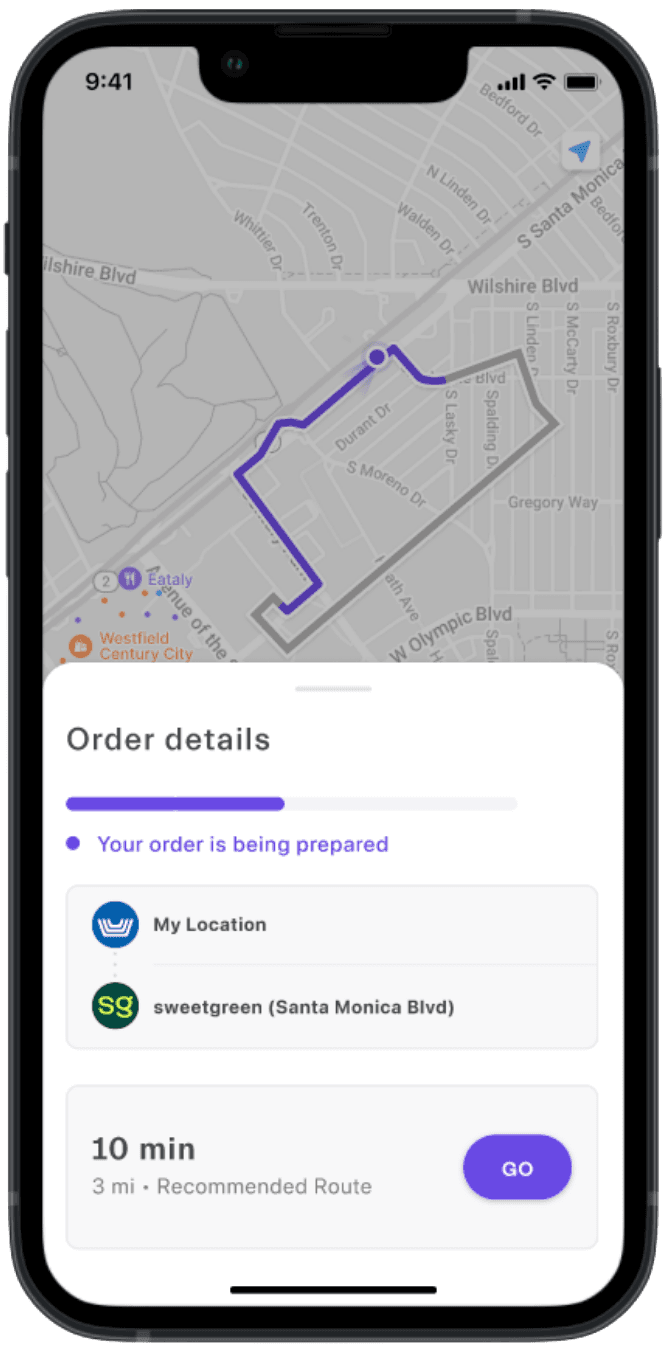
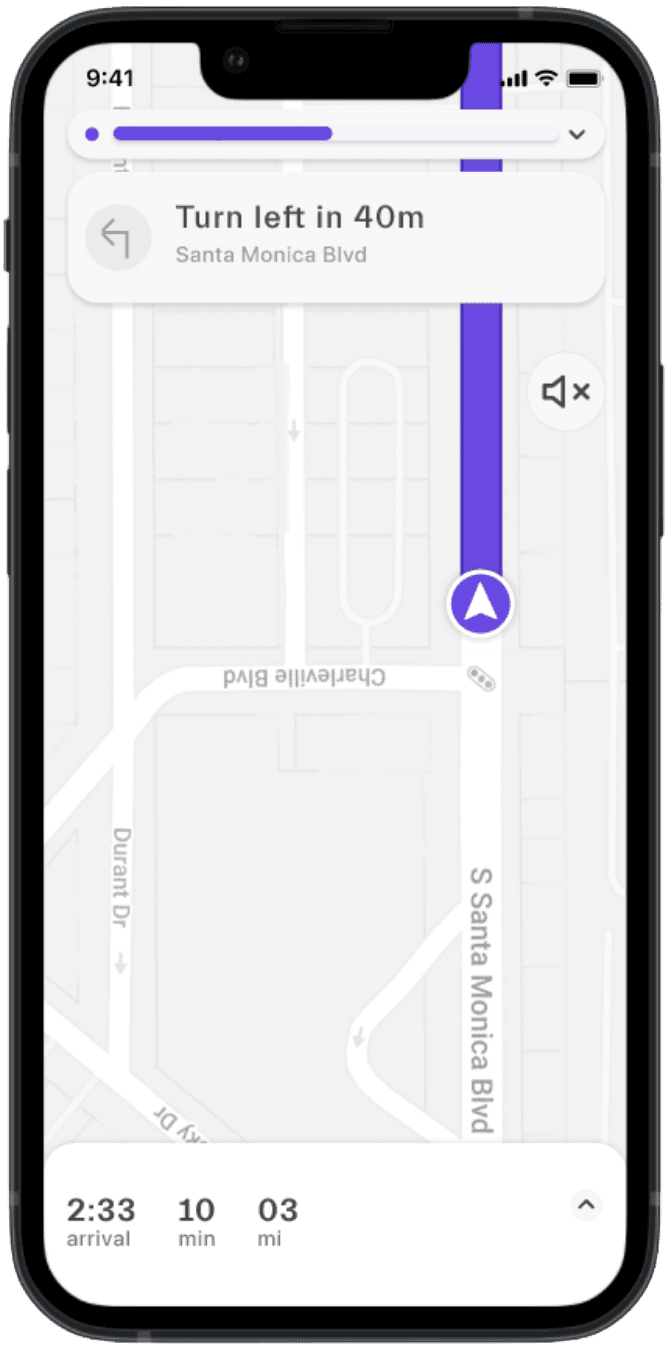
Mapply directs you to the best entrance for your specific restaurant, then guides you to designated pickup zones. Once parked, you enter your spot number and the app automatically validates your parking. No hunting for validation machines or keeping track of tickets.
3. Navigate Inside
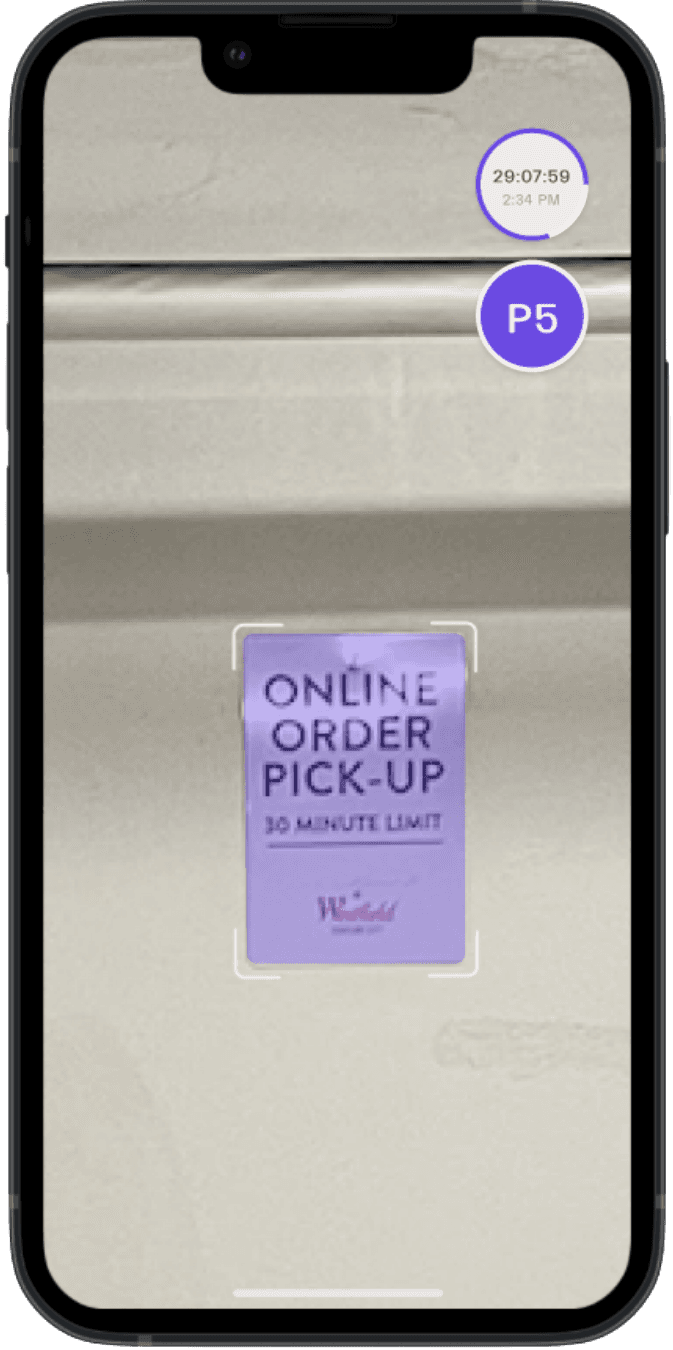
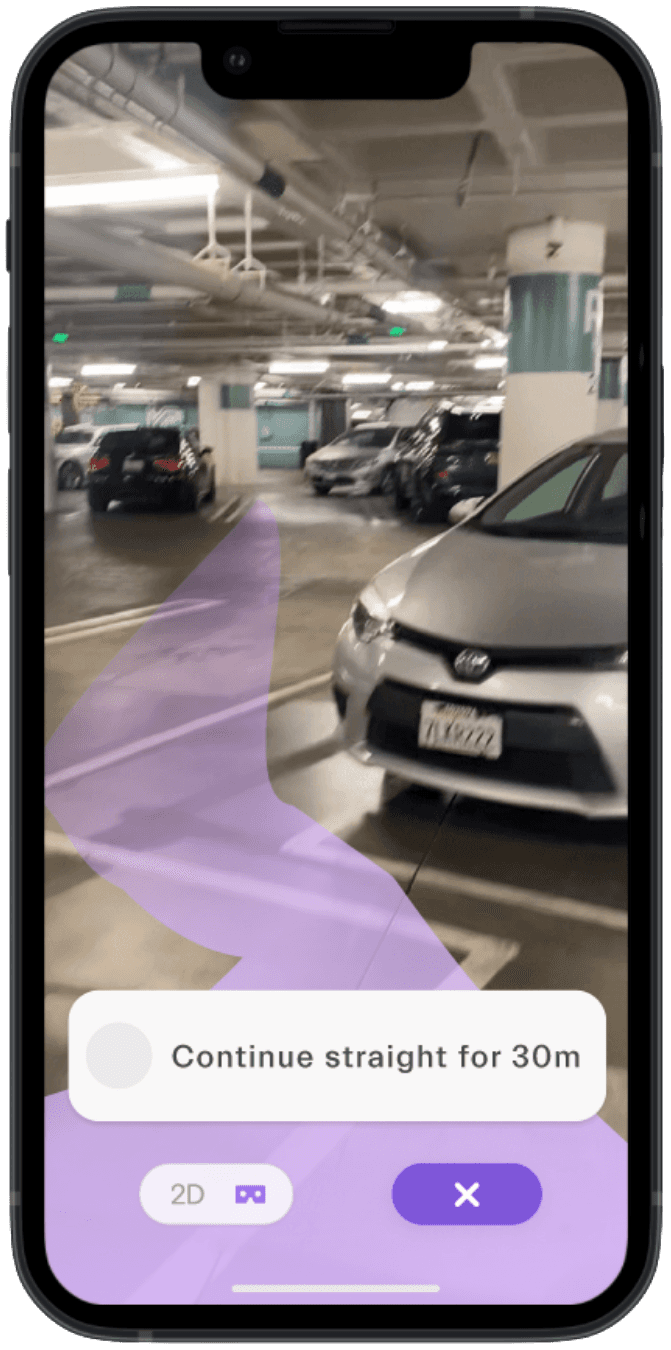
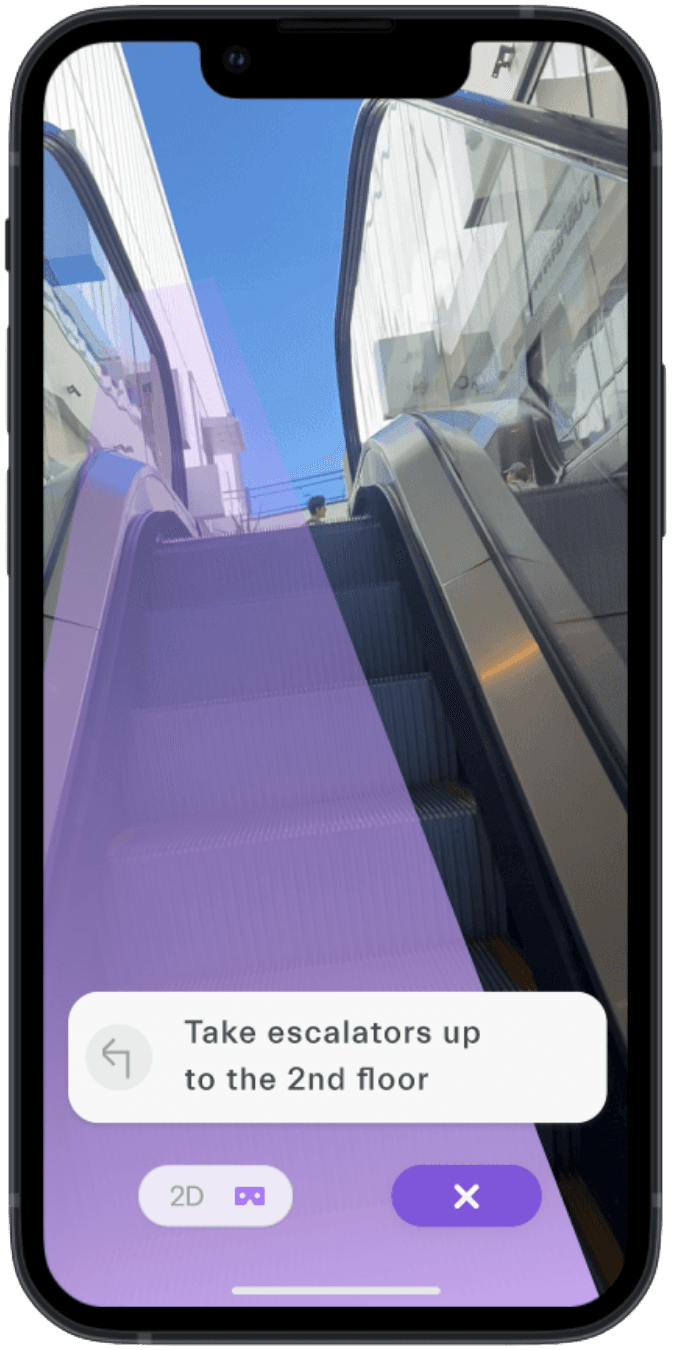
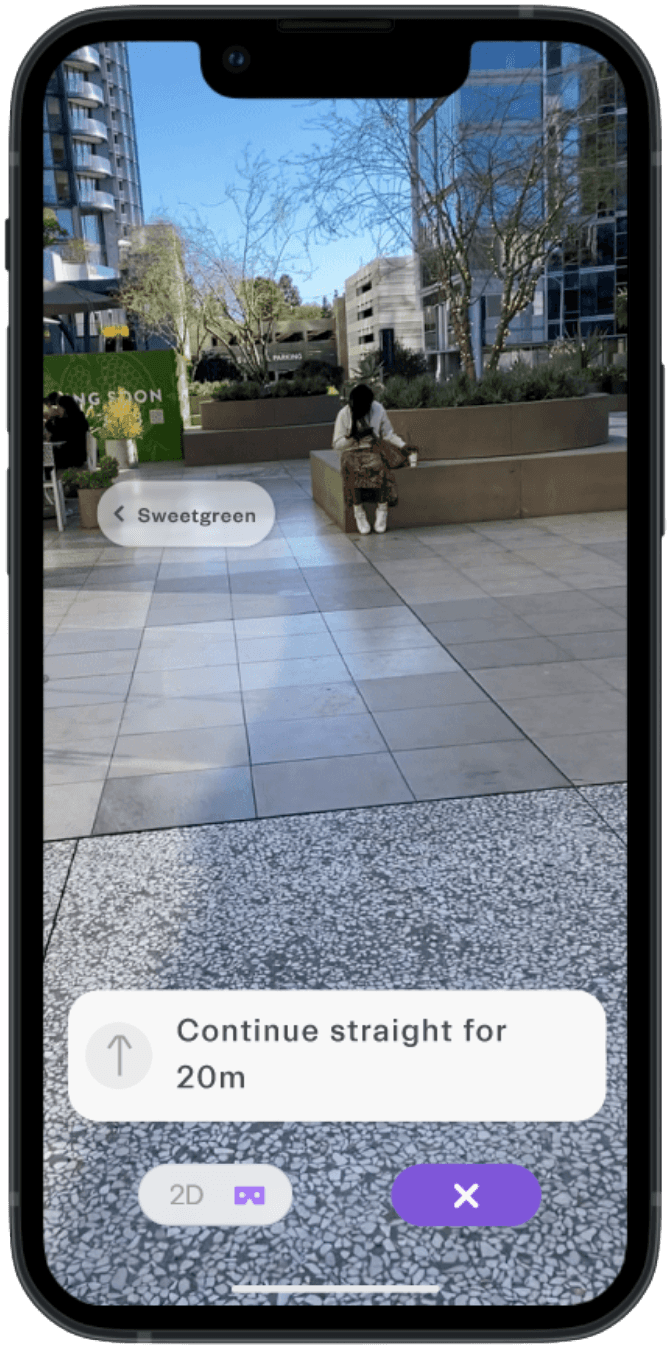
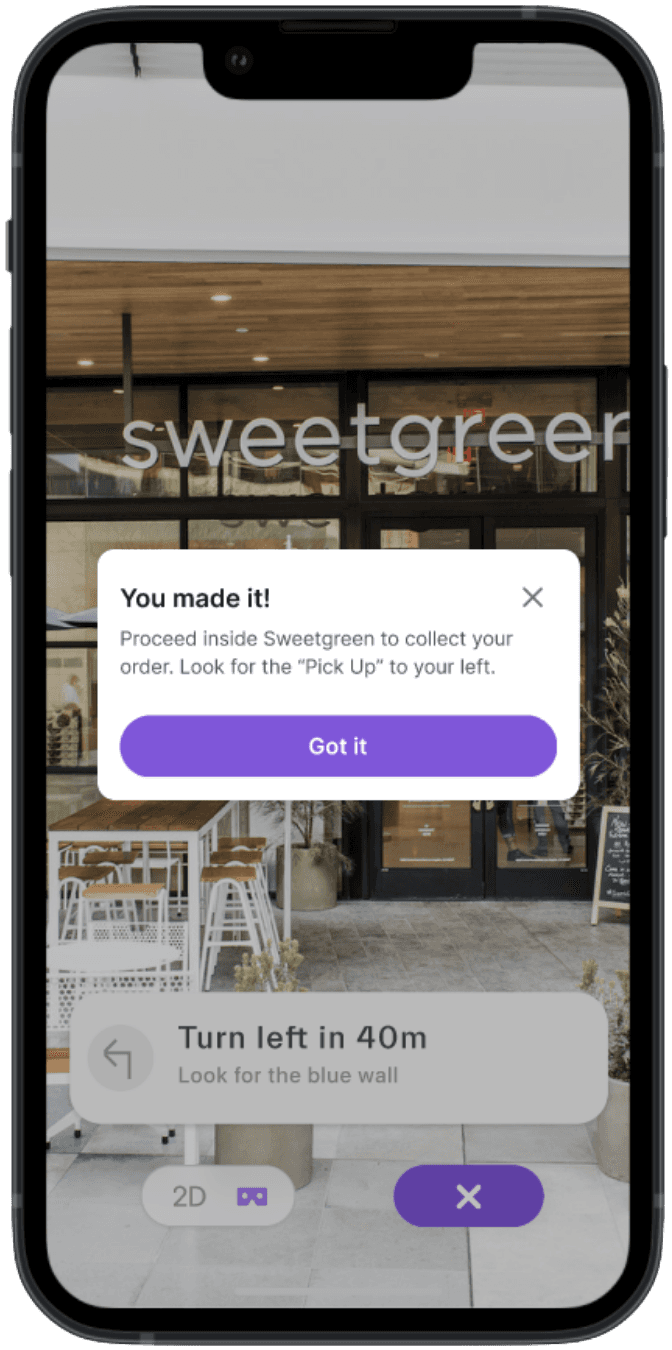
Choose your preferred navigation method: AR walking directions that overlay on your camera view, a simplified 2D map, or audio directions through your headphones. The app provides step-by-step guidance from your parking spot directly to the pickup counter, eliminating the confusion of "which floor is this restaurant on?" or "where's the food court entrance?"
Key Features

AR Wayfinding
Point your phone and follow the path overlaid on your surroundings. No need to interpret complex mall maps or guess which hallway to take. For those who prefer not to use AR or need accessibility options, we offer 2D map view and audio-only directions that work seamlessly.
Built-in Rewards System
Mapply partners with Westfield to offer points and discounts automatically after each visit. Users can see available offers, track expiring deals, and redeem rewards directly in the app. No more juggling separate loyalty apps or losing paper coupons.
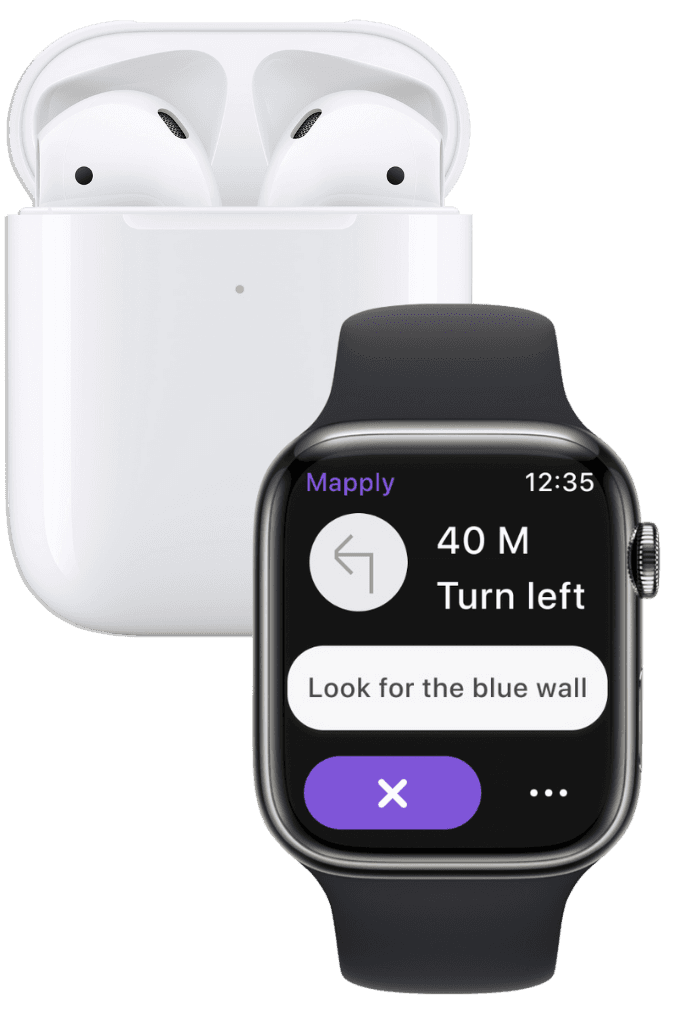
Navigation Made Easy
Mapply offers options beyond just AR. You can pop in your headphones and get audio directions or check out Mapply on your smartwatch, ensuring you don't miss a beat in busy areas.
Impact & Results
Usability testing showed significant improvements after our iterations:
Participants felt more confident about where to park and how to reach their pickup spot
Users appreciated having order status, navigation, and parking validation in one place
The flexibility to switch between AR, map, and audio modes addressed different user preferences and accessibility needs
If deployed, success would be measured by:
Reduction in time from mall arrival to food pickup completion
Increased utilization of designated pickup parking spots
Improved user satisfaction scores for the overall pickup experience
Decreased 1-2 star reviews mentioning parking confusion
Future Opportunities
This project focused on food pickup, but the framework could expand to:
Shopping pickups and curbside returns
Live crowd density indicators to show which mall entrances are less busy
Integration with other Westfield locations across the country
Real-time updates on parking availability in pickup zones
✦ . ⁺ . ✦ . ⁺ . ✦
Reflection
This project taught me that good UX isn't about adding features. It's about removing friction. Mapply doesn't reinvent navigation or rewards or parking validation. It just puts them all in the right place at the right time.
The biggest challenge wasn't the AR or the information architecture. It was understanding what people actually needed versus what we thought was cool. Testing early and often kept us honest.
What I learned about hierarchy: Moving the timer from the side to the center of the screen seems like a small change, but it transformed how people understood the entire flow. Visual hierarchy isn't decoration. It's communication.
What I learned about options: Not everyone wants AR. Some people prefer maps. Others need audio. Building flexibility into the navigation modes made the experience accessible to more people and more contexts.
What I learned about labels: Changing "restaurant" to "Quick Bites" or "Casual Dining" took 5 minutes but instantly helped people make faster decisions. Words matter as much as wireframes.
If this project succeeds, it won't be because the AR is impressive. It'll be because someone picked up their lunch without thinking "never again."